
Android · SSH only · no server agent

Check your servers without opening your laptop.

Meows brings CPU, memory, disk, network, and other server details to your phone over SSH.

Get it on Google Play

One-time purchase No subscription, ads, or in-app purchases

Server side
No additional software
Runtime permission
Notifications only, and you can decline
Interface
English · 简体中文 · 繁體中文 · 日本語 · 한국어
server side agent     none extra port none transport  ssh
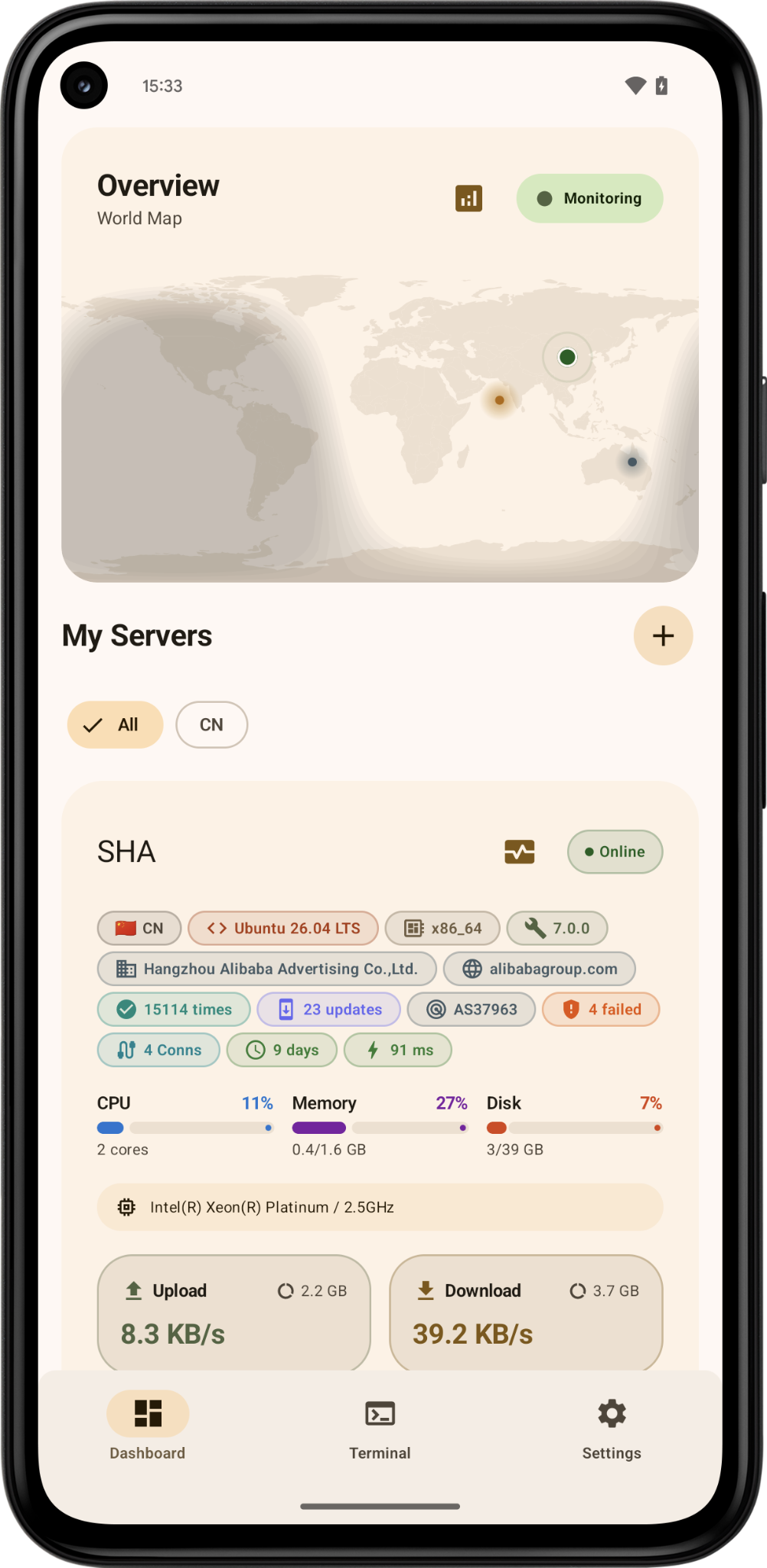
Meows overview with a world map and a server card
The overview starts with a world map, followed by live server cards.

01

Why I built Meows for my own servers.

I used to SSH into them one by one just to see whether CPU, memory, or disk looked wrong. A lot of monitoring setups also wanted another daemon, another port, or a separate dashboard.

These are small machines, and I did not want to change their setup just to monitor them. Meows uses the SSH access already there and reads the system information Linux provides over that connection.

I did not want another agent running just so I could look at the status.
Connection
Android device → SSH → server
Server side
No agent and no extra management port
Sign-in and route
Password or private key, directly or through a bastion
In between
No Meows relay or analytics backend

02

Monitoring, terminal, and server tools.

Check live metrics, open a terminal, or look up details from the same app.

Monitoring

Read the chart alongside process and device details.

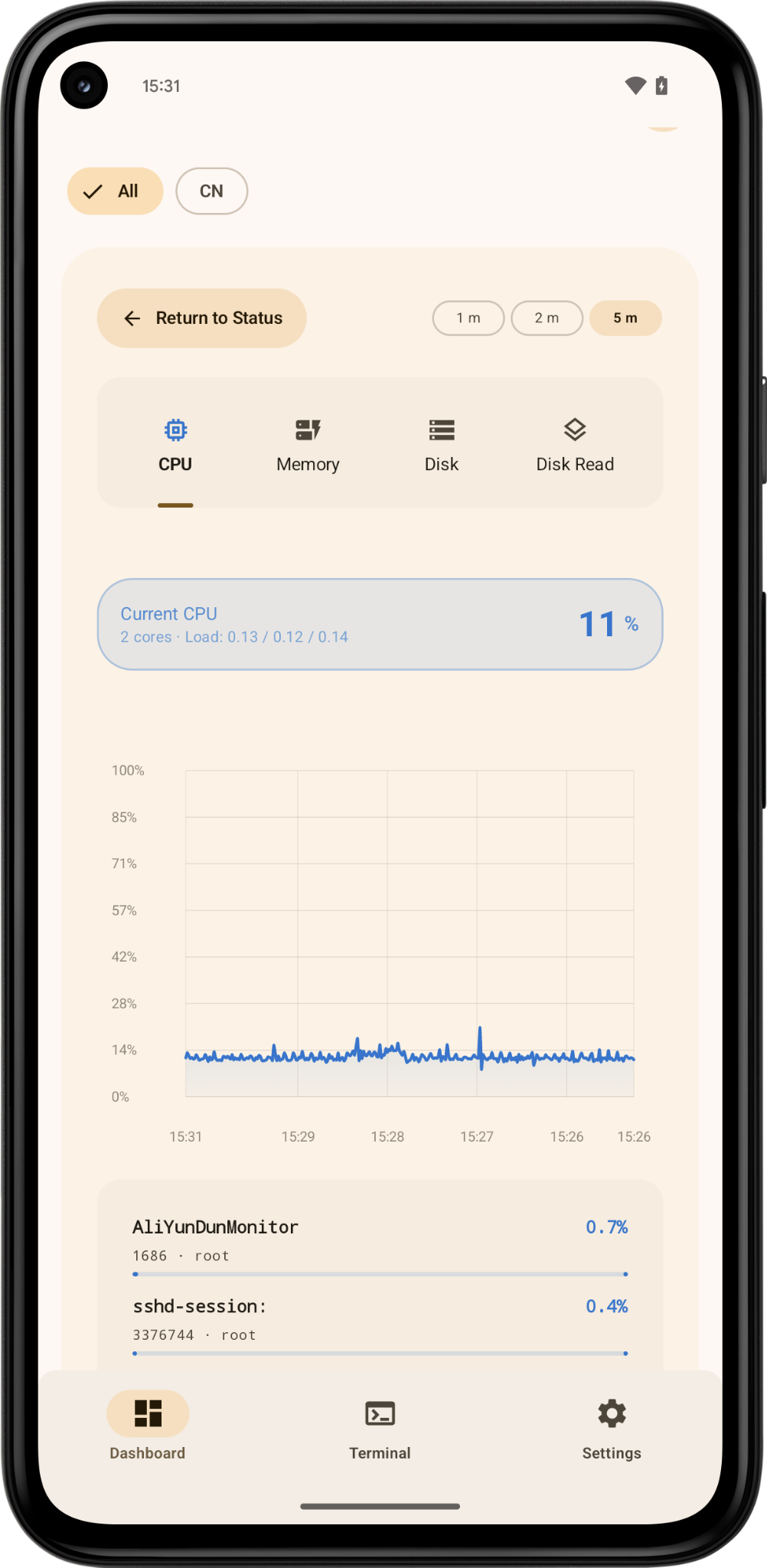
CPU, memory, disk, network, and TCP history are shown with the processes, mounts, or interfaces behind the number. Alerts are set per server. If several thresholds are crossed at once, Meows merges them into one notification.

  • Live cards for all of my servers
  • Processes, mounts, and interfaces under the history chart
  • Disconnect and recovery notices, with per-server thresholds
Meows history charts and process details
History stays on the phone. The detail under the chart helps explain the spike.

Terminal + Lens

Look up values directly from terminal output.

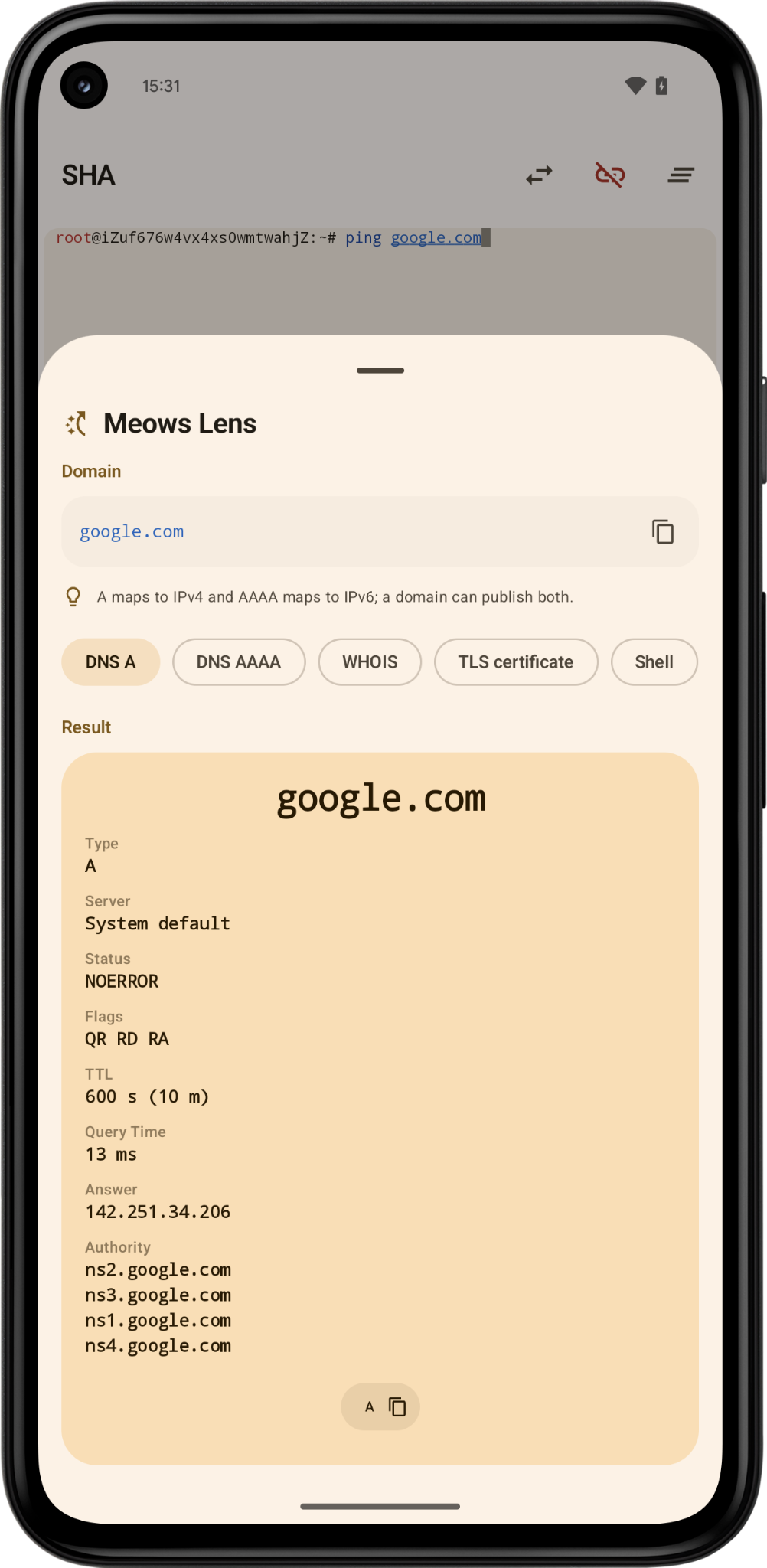
Tap an IP address, domain, URL, or permission string in the terminal or a Docker log, then choose the matching DNS, WHOIS, TLS, or permission action in Meows Lens.

Lens does not run a lookup, open a page, or execute a command on its own. You choose what to do.

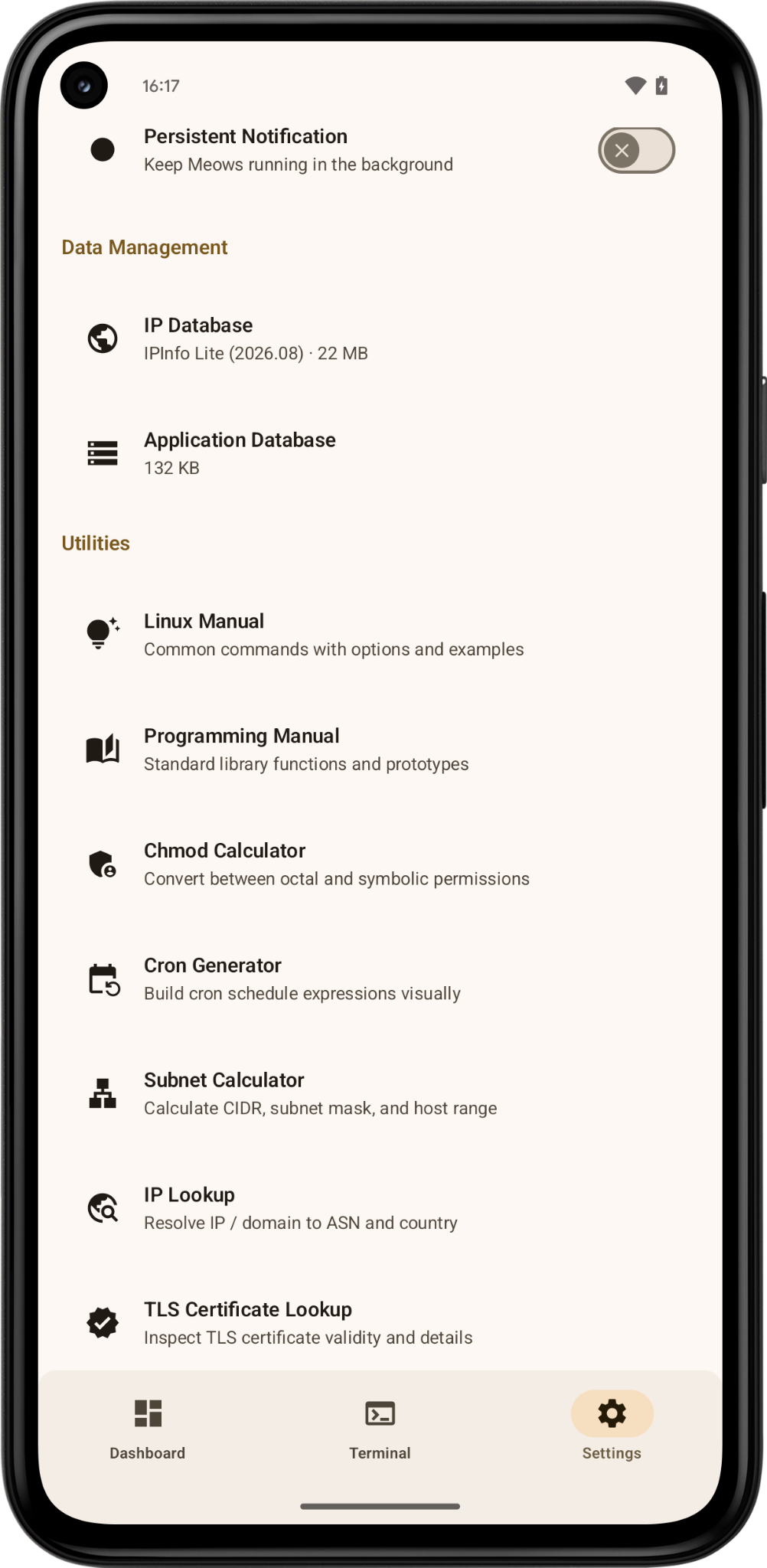
Meows network and Linux tools
Meows Lens actions for a selected address

Other tools

Docker management, SSH tunnels, and network tools.

Docker management also goes through SSH, so there is no remote API port to expose. The app also has SSH tunnels, bastion hosts, DNS, TLS, WHOIS, subnet, Cron, regex, timestamp, permission tools, and more.

docker logs -f openssl s_client dig +short chmod 755

03

How Meows handles credentials and monitoring data.

Credentials are encrypted on the device with AES-GCM and Android Keystore. Meows has no service that receives monitoring data. The only runtime permission is notifications. Declining it does not disable the rest of the app.

Read the privacy policy →
SSH credentials
Encrypted on the device with AES-GCM. Android Keystore holds the keys.
Monitoring data
Kept on the phone. Meows has no service that receives it.
Connection path
SSH connections start on the phone and go to the servers or bastion hosts you configure.
Optional backup
Encrypted on the device before it is uploaded to Meows' hidden app data folder in Google Drive.
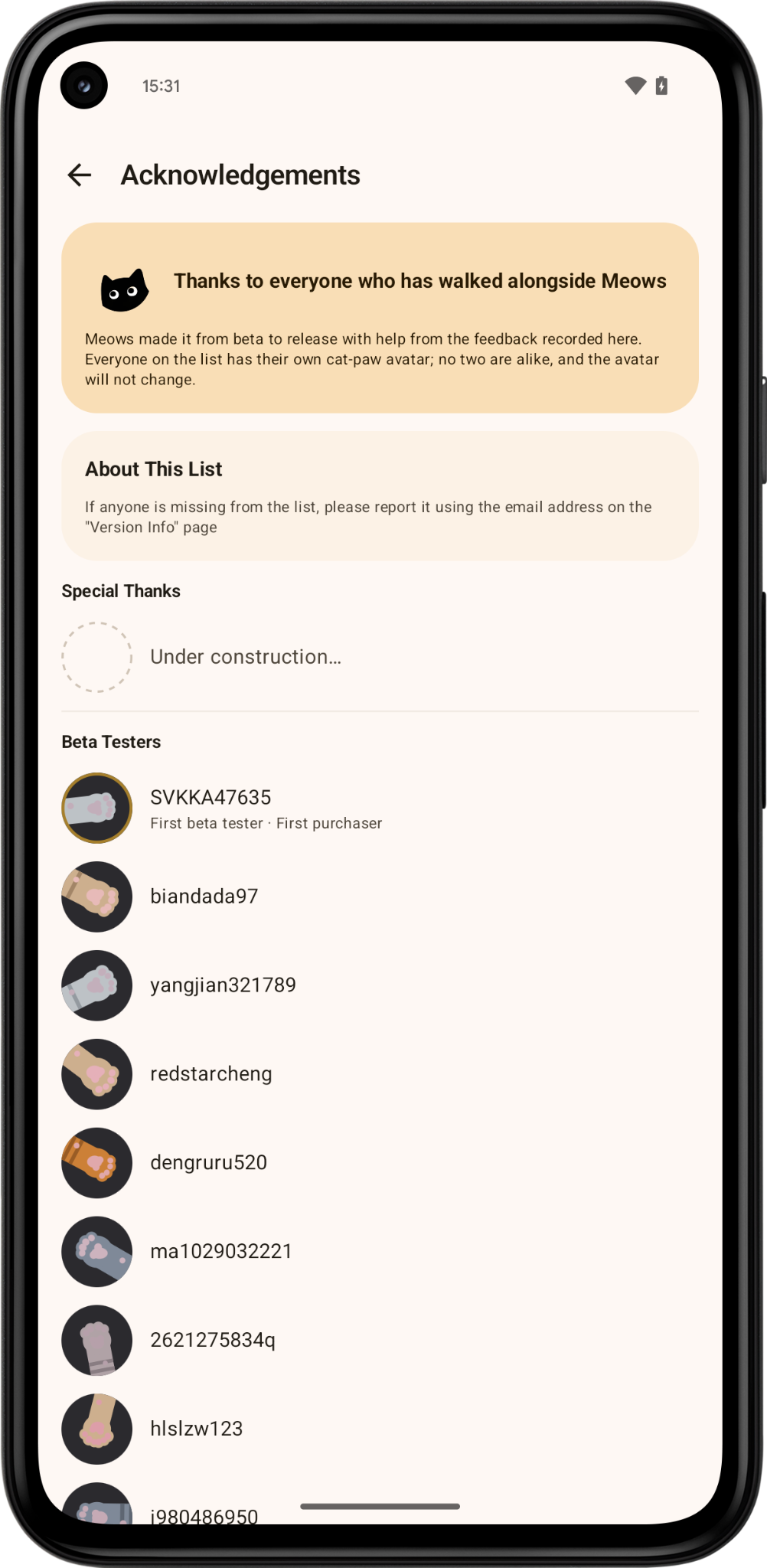
Meows acknowledgements page with unique paw avatars

04

My own servers do not cover all of these Linux environments.

Because Meows only uses SSH, the Android app has to handle differences between Linux systems. I cannot cover old kernels, stripped-down systems, and uncommon architectures with the machines I own. People on LowEndTalk let me test against more real servers, which led to changes in metric collection and history charts.

I kept the names of those testers on the acknowledgements page, with a different paw avatar for each person.

Li Bainan

05

Questions before buying.

Do I need to install anything on the server?

No. Meows reads the server over standard SSH. There is no agent, daemon, Docker image, or extra port to configure.

Can it reach an internal server?

Yes. Add a bastion host, and Meows can use it for monitoring, terminal sessions, and SSH tunnels.

Which Android version and languages?

Android 14 or later. The interface supports English, Simplified Chinese, Traditional Chinese, Japanese, and Korean.

Is there an iOS version?

Not at the moment. Meows is a native Android app.

Android 14+

Add a server to start monitoring.

One-time purchase. Updates are included, with no subscription, ads, or telemetry.

Get it on Google Play